

















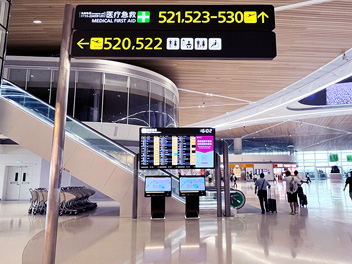
The customer gets off the escalator, looking for a restaurant. Although there was a sign on the Directory downstairs, showing that it could be found on Level 3, there are two wings to this level and the next turn wasn’t immediately apparent. The signage needed to provide clear guidance to enable a correct decision to be made.
A well-planned system combines searchable directories, clear floor information and permanent directional signs. Digital displays can handle changing tenant details, while fixed signs confirm routes at a glance. Projects in Shenzhen and Thailand show how the mix changes across enclosed malls and open-air retail sites. Measure any effect on tenant sales rather than assume it.
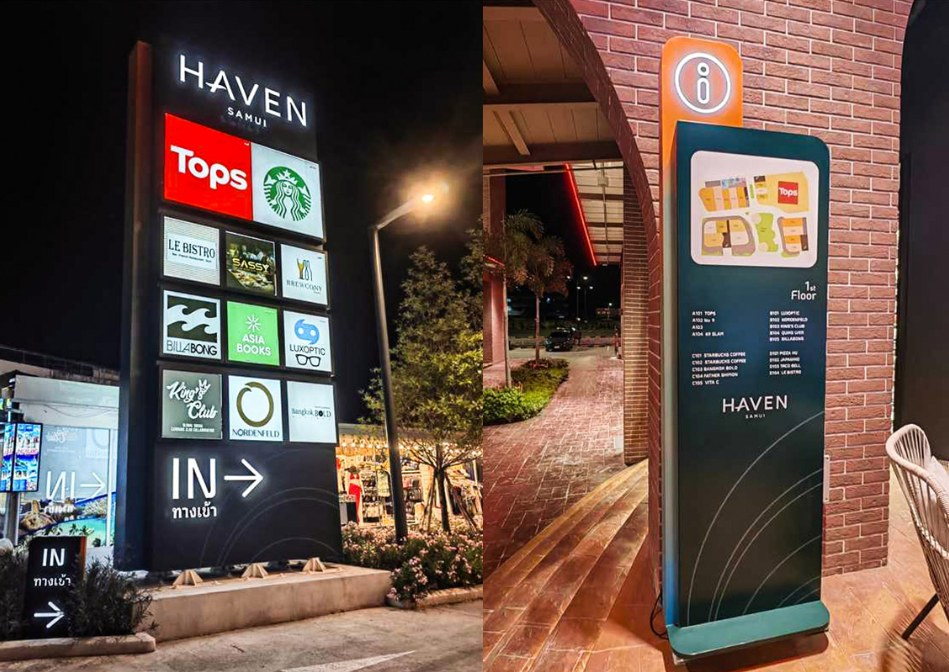
COSUN SIGN project photo: HAVEN SAMUI, Thailand — outdoor tenant identification and directory signs.
Why mall visitors lose their way
The difficult part of a mall visit is rarely finding the building. Moving from parking to the correct entrance involves choosing between floors and wings and confirming the last turn toward a storefront. A directory near the main doors cannot solve all those decisions.
Consider two routes: a visitor parks in P2 and wants to reach the cinema. A first-time shopper enters near the food court and wants a brand in another wing. Both may need a destination search at the start. They then need simple confirmation after an elevator, at an atrium crossing and near the final shopfront. Each of the following provide useful navigation tips to help your customers within your shopping mall wayfinding.
Where should I place my digital signage?
Depending on what location you are looking at will depend on what format you need. A touchscreen, an overhead arrow, and an outdoor digital pylon are not interchangeable. This is true even when they share the same visual identity.
Entrances and parking connections: searchable digital signage kiosks
At main entrances and parking lobbies, a digital signage kiosk helps visitors find a tenant. Visitors can view the tenant’s floor and see the best direction to start. If the project needs interactive search, the buyer must specify a compatible touchscreen interface.
You will also need to have current directory information and mapping tools. This can’t be achieved with a standalone screen. Digital kiosks are a great option for complex sites. They help with guiding people who have come from various parking areas and not everyone can get to their tenants via the nearest lift.
Atriums and escalator landings: digital wayfinding signage and fixed arrows
In a central atrium, digital wayfinding signage can be used to display floor directory, tenant change and event information. However, if it is the next junction off the corridor, then perhaps an overhead sign with clear indication would be better. Wayfinding signage will be most useful in a set process of ‘identify location’, ‘choose your route’ and ‘confirm turn’.
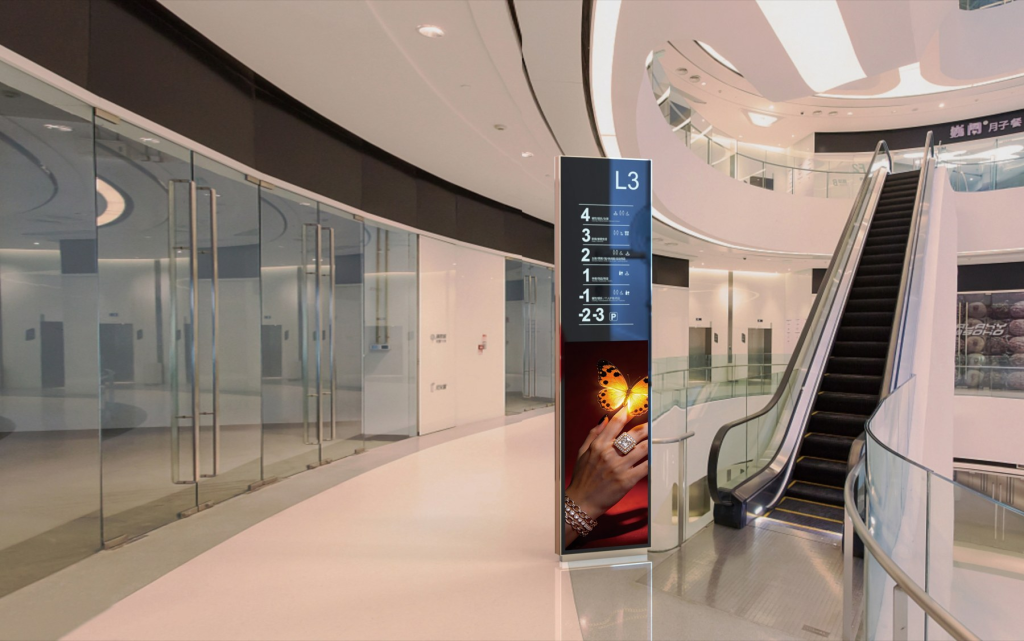
Examples: Floor information screen next to an escalator and path of travel.
Outdoor approaches: digital totems, pylons and entrance identification
Digital totems can provide information about arrivals plus event information close to a plaza, drop off lane or pedestrian entrance. They can provide information about which entrance leads to zones within the mall. Digital pylon signs are useful to allow information to be seen by staff prior to entering the building. Ensure that the chosen unit will be bright enough outside, will withstand the weather and will be visible from the required distance. Ensure that the chosen unit will have power, be easily accessible for maintenance and complies with any local sign requirements.
Custom pylon signs or monoliths provide a more permanent landmark. These can be used alongside the digital signage to identify the property or entrance. The physical ID sign and digital totem can be made using a similar method but it is important that they have different content.
Tenant zones: promotion displays and recognizable storefronts
Inside your retail outlet you can have digital signage to display any new messages or promotions. The tenants have signages to help the customer find the right store. The store has illuminated channel letters above it to show the tenants name. Blade signs can be used to make the store more visible when walking down the corridor.
Promotional displays and signage both serve different purposes. Whilst promotional material can be used to attract customers to your store, you need to ensure that your signage doesn’t hide the important way finding information.
A bespoke retail store sign should be used at the last turn before a store. Illuminated channel letters can be used above the shop front to clearly show who the tenants are. Illuminated blade signs can be used to allow people to easily find your shop as they walk along the corridor. These will not be used as a directory but can help customers know that they have reached your store.
A practical layout: match the product to the visitor task
| Location | Visitor question | Recommended format |
| Main entrance / parking lobby | Find tenant and floor | Interactive directory or digital signage kiosk |
| Atrium / lift landing | Choose a route and confirm level | Digital floor information + overhead direction sign |
| Outdoor plaza / drop-off | Identify entrance and key destinations | Digital pylon / digital totem + fixed identification |
| Retail corridor | Locate storefront; see relevant offers | Storefront identification + separate promotion display |
What makes a digital solution useful?
To ensure you have a useful directory first you need to make sure destinations are accurate and the map is easy to understand. Before choosing a smart digital signage package ask your project team to verify the following 5 points:
- Search and labelling – Tenants should be easy to search by name or type and show the correct floor, unit, entrance
- Position – Kiosks ‘you are here’ position needs to be accurate and the left/right on the screen makes sense based on the users position.
- Consistency – Floor names, icons and arrows need to be consistent across all screens, hanging signage and storefront areas.
- Ownership – There should be someone who owns the tenancy changes (openings/closings/moves), approves the map data and verifies it is published correctly.
- Backup & Accessibility – Main escape routes, lifts and amenities should still be clear if the screen fails. Check any appropriate accessibility requirements have been considered, text is readable and accessible with your local project team.
These are requirements for your project. The amount of workflow you can provide will depend on the software chosen, content workflow and network setup.
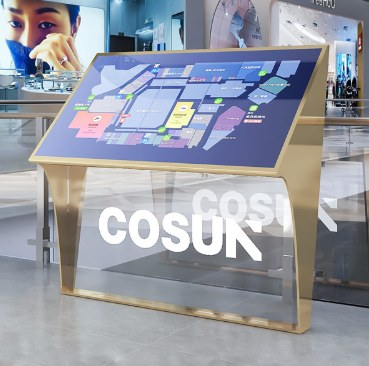
Example: an interactive directory-style map; tenant search and route functions depend on the configured software.
How can wayfinding support tenant visibility?
Imagine a newly opened fashion tenant located beyond the main atrium. A visitor may have seen the brand on a social post but still walk past the wrong corridor.
A directory lists the new store. It guides visitors to the right wing. This removes a practical obstacle between interest and arrival. Navigation through categories may help to drive people into your store who wouldn’t have originally intended to.
The digital display could help to further drive sales through targeted messaging in the right location (escalator/entrance). However its important to remember that the three outcomes here are viewing the screen, searching for tenants and making a purchase. The mall won’t necessarily make more sales just by having digital navigation signage.
Pilot 2-3 difficult routes. Record how many first time visitors got to their destination. If possible, record how many times they used the directory, failed searches, QR codes scanned during the campaign, or tenant reported footfall. Also be aware of any other promotions running at the same time, new openings and seasonal factors so you don’t misinterpret the results.
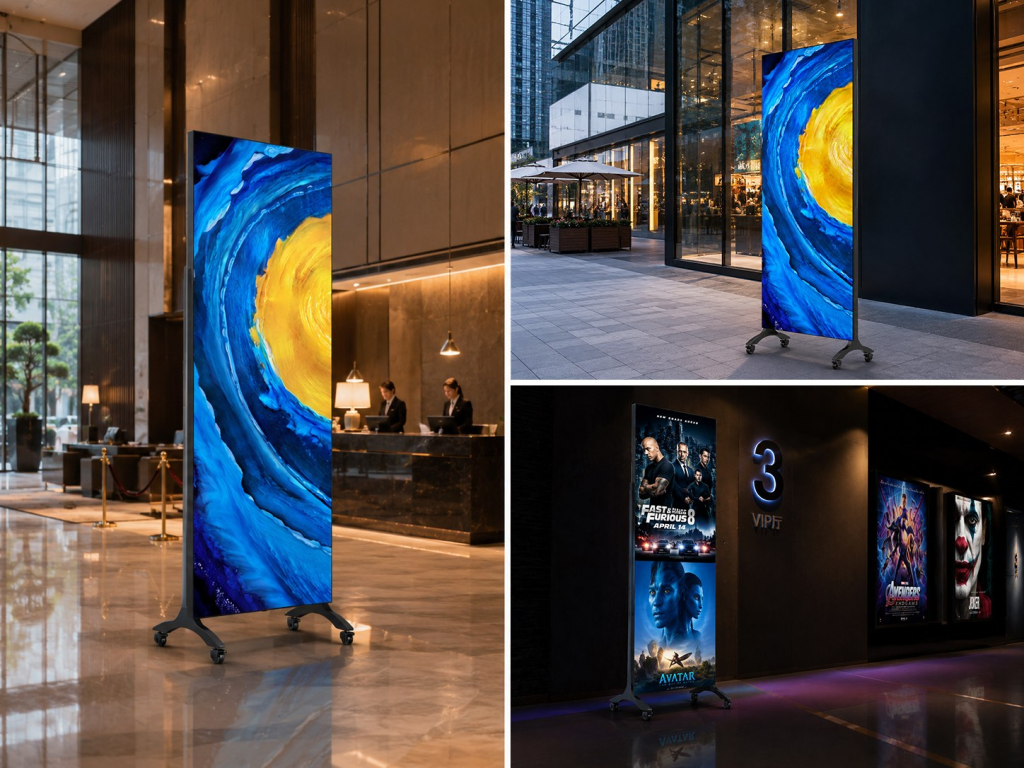
Example: digital marketing can be used alongside navigation.
How should bespoke wayfinding signage be incorporated into the shopping centre?
Shopping centres will have a consistent visual style. Wayfinding signs can include standalone kiosks, suspended direction signs, flooring identification, parking guidance and external entrance graphics. By keeping naming, icons, colour and prioritising destinations consistent, it makes the signage easier to use.
If it is a mixed use property then signs should reflect the hotels, offices and public areas. It shouldn’t cause confusion between the tenant directory of the mall.
When comparing wayfinding signage manufacturers, ask for examples of relevant product formats. Ask for fabrication drawings and material and finish options. Ask about quality checks, export packaging, and technical documentation. For projects built or installed overseas, confirm the local installer’s duties and the manufacturer’s remote support process. Do not assume the package includes on-site installation.
What COSUN SIGN’s shopping mall projects reveal
The same specification will not work at every shopping centre. Three COSUN SIGN projects show how mall signs change with arrival routes, building needs, and budget. Not just about screen count.
Huaide MixC Hood, Shenzhen: connecting multiple arrival routes
At Huaide MixC Hood, around 180,000 m² of retail space spans connected buildings.
More than 400 brands are connected through elevated bridges here and visitors can also enter via Metro Line 12, surrounding streets and underground car parks.
COSUN SIGN’s published project covers exterior pylons and lettering, suspended wayfinding signage, mall directories and digital displays. The case shows why permanent signs should give fixed directions. The mall’s digital signs should show tenant information that can change. See the Huaide MixC Hood project details.
Shenzhen MixC Qianhai: combining digital information with retail identity
Shenzhen MixC Qianhai is a 100,000 m2 mixed use mall offering retailing, office, hospitality and serviced apartments. COSUN SIGN’s case list includes mall directory signs and hanging wayfinding signs. It also includes retail ID signs, lit blade signs, light boxes, mini LED letters, and smart digital signs.
- The project did not treat the digital directory as a stand-alone object.
- Instead, it matched the displays with storefront materials and lighting.
- It also aligned them with the overall interior design.
A mall signage package can balance route guidance, tenant recognition, and an architectural finish in a practical example. View the Shenzhen MixC Qianhai case.
HAVEN SAMUI, Thailand: outdoor wayfinding and a budget-led sign choice
HAVEN SAMUI is an open-air retail destination on Koh Samui. It has several outdoor pedestrian approaches, not one enclosed entrance.
The project’s published signage scope includes pylons, directory signs, hanging directional signs, and building identification. Material choices are shaped by the tropical coastal environment. COSUN SIGN’s manufacturing work therefore had to address both visitor orientation and outdoor durability. See the HAVEN SAMUI project.
The customer also raised a distinct retail-sign request: an animated visual effect without an electronic screen. According to the client’s feedback, COSUN SIGN proposed a dynamic lightbox concept. It includes UV-printed artwork. It also features programmed LED lighting. When that option went over budget, the team recommended a lower-cost treatment. It used conductive acrylic sign elements and small lettering. These alternatives belonged to the design stage; we should not present the dynamic lightbox as an installed product. For overseas buyers, the key is to share the visual goal, budget, and acceptable materials early. This helps manufacturers offer workable options.
These examples demonstrate different project scopes and design decisions. They do not show a measured rise in shopper traffic or tenant sales. Those results need mall-operator data and a clear comparison period.
Buyer checklist before requesting a mall signage quote
The brief ‘20 digital screens’ is not detailed enough. You need to provide enough detail so that your signage supplier can give you the correct products and interfaces.
- Floor plans, parking access and typical shopper journeys, especially confusing decision points.
- Proposed locations and whether each unit needs tenant search, static directory content or advertising only.
- Approved tenant list, map files, languages, content owner and update frequency.
- Environment (Indoors/Outdoors), size, power, connectivity, mounting information and any local codes.
- Responsibility for building sign, display, licence, integration, installation, testing and support.
This helps define the difference between buying a display and a full digital wayfinding system. It also helps when comparing what each supplier can offer.
Common questions from mall project teams
Do we always need digital touch screen kiosks at our mall entrances?
Simple entrances may only need clear floorplans and directions. We would recommend interactive digital signage kiosks when users need to find multiple tenants, compare different mall wings or have a more complicated journey.
Can we utilise advertising in our mall directories?
If your hardware and content are chosen correctly you can include advertising within your mall directory. Search functionality and basic directions can be provided but we can have dedicated sections or planned slots for advertising.
What is the difference between digital pylons and way finding kiosks?
A digital pylon can refer to a stand alone display solution. They are often used in high profile areas either indoors or out. Way finding kiosks can be described as navigation solutions which may involve interactive software.
Plan the route first, then specify the signage
Shopping mall digital signage is most effective when visitors receive the right information before each important turn. Combine digital directories for changing details, fixed signage for immediate direction, and promotional displays for tenant campaigns. That approach supports shopper flow while keeping the commercial claim measurable.
COSUN SIGN provides custom signage manufacturing and project-specific digital display and wayfinding products for commercial environments. Share your mall layout, sign schedule and required digital functions to discuss a coordinated shopping mall digital signage package.
Sources
COSUN SIGN shopping mall solution: https://en.cosunsign.com/solution/smart-shopping-malls/
COSUN SIGN digital wayfinding signs: https://en.cosunsign.com/product/digital-wayfinding-signs/
COSUN SIGN digital kiosk: https://en.cosunsign.com/product/digital-kiosk/
Herhausen, de Jong and Grewal, In-Store Advertising with Digital Signage, Journal of Marketing 2026: https://researchportal.bath.ac.uk/en/publications/in-store-advertising-with-digital-signage/
US Department of Justice, ADA Requirements Effective Communication: https://www.ada.gov/resources/effective-communication/

 粤公网安备44030702001648号